

Drag Headshot Panel APK 2.0 (Free Fire)

Advertisement
Drag Headshot Panel APK is a lightweight Android utility designed to improve smooth aim and boost accuracy in mobile FPS games. By optimizing sensitivity, input response, and performance stability, it helps players achieve more consistent control during fast-paced matches. Whether you are struggling with unstable drag movement or delayed reactions, this tool provides a practical solution to refine your aiming experience. With features like sensitivity curve optimization, input calibration, and performance tuning, Drag Headshot Panel APK ensures smoother tracking, better responsiveness, and improved shot precision. It works efficiently across a wide range of devices, including low-end smartphones, making it accessible for all players who want a more stable and controlled gameplay experience.
Information of Drag Headshot Panel
| Name | Drag Headshot Panel |
|---|---|
| Updated | |
| Compatible with | Android 5.0+ |
| Last version | 2.0 |
| Size | 35 MB |
| Category | Tools |
| Developer | 3ASHIK Dev |
| Price | Free |
| MOD | Free Fire |
About Drag Headshot Panel
Drag Headshot Panel APK – Smooth Aim & Better Accuracy
In mobile FPS games, every detail matters. A small delay, an unstable swipe, or inconsistent sensitivity can completely change the outcome of a fight. Many players believe they lose because of strategy or reaction speed, but in reality, the biggest issue often lies in aim control.
This is where Drag Headshot Panel APK becomes relevant. Instead of forcing you to spend hours adjusting settings manually, it focuses on improving smooth aim and helping you achieve better accuracy through optimized control and responsiveness.
If you have ever felt that your aim is “almost right but never consistent,” this tool is designed to close that gap. It does not change how you play—it enhances how your movements translate into the game.
Why Smooth Aim Matters in Mobile FPS
Smooth aim is not just a technical concept. It directly affects how you perform in every match. When your aim feels stable, your confidence increases. When it feels inconsistent, even simple fights become difficult.
In mobile FPS games, you rely entirely on your fingers to control movement and aim. Unlike PC players who use precise hardware, mobile players must deal with touch sensitivity, screen response, and device performance at the same time.

A lack of smooth aim usually leads to:
- Sudden jumps while dragging
- Difficulty tracking moving targets
- Over-aiming or under-aiming
- Delayed reactions during close fights
These issues are not always obvious at first. You might feel like you are “just missing shots,” but the real cause is often unstable control.
Let’s look at a simple example. Imagine you are in a close-range fight. You try to drag your aim upward to align with the target. If your sensitivity spikes suddenly, your aim goes too far. If your input response is slow, you react too late. Either way, you lose the advantage.
Smooth aim solves this by creating consistency. When your movement feels predictable, you can:
- Track targets more naturally
- Control recoil with less effort
- Build muscle memory faster
Once control becomes stable, accuracy improves as a result—not by forcing it, but by making every movement more reliable.
What Is Drag Headshot Panel APK
Before going deeper, it is important to understand what Drag Headshot Panel APK actually is and what it is not.
This is not a standalone game. It is a lightweight Android utility designed to improve how your aim behaves during gameplay. Its main purpose is to help players achieve smoother drag control and more consistent accuracy.
Instead of focusing on a single setting, the panel combines multiple adjustments into one system. These include:
- Sensitivity tuning
- Input response optimization
- Performance balancing
- Visual stability improvements
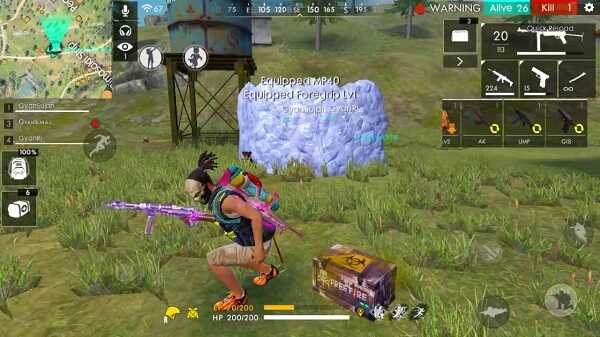
The idea is simple: when all these elements work together, your aim becomes smoother and easier to control.
Another important point is accessibility. The tool is designed to be lightweight, meaning it can run on a wide range of devices. Whether you are using a basic phone or a mid-range device, you can still benefit from its features.
Players often struggle with manual configuration. They try different sensitivity values, adjust controls, and still feel something is missing. This panel simplifies that process by offering a more structured way to optimize your setup.
In short, it acts as a bridge between your input and the game, making sure that every movement feels more accurate and responsive.
Key Features That Improve Aim Accuracy
This section focuses on the core features that directly enhance smooth aim control and improve shot accuracy. Each feature plays a specific role, but together, they create a noticeable difference in how your aim behaves during real gameplay.
Macro-Based Drag Shot Assistance
Drag movement is one of the most important techniques in mobile FPS games. However, it is also one of the hardest to control consistently.
This feature helps stabilize the dragging motion, making it smoother and more predictable. Instead of relying entirely on raw finger movement, it supports a more controlled adjustment process.
What does this mean for you?
- Your aim aligns faster with targets
- You reduce unnecessary movement errors
- You gain more consistency in close-range fights
Think about those moments when you almost hit the target but miss slightly. That small difference often comes from unstable drag movement. By refining this action, you improve your chances of landing accurate shots.
Sensitivity Curve Optimization
Sensitivity is not just about speed—it is about control. A good sensitivity setup allows you to move quickly without losing precision.
This feature improves how sensitivity behaves across different movements. Instead of reacting the same way to every input, it adapts more smoothly depending on how you move your finger.
The result:
- Small movements feel precise
- Large movements remain controlled
- Transitions become smoother
Advertisement
Advertisement
Without proper optimization, sensitivity can feel inconsistent. Sometimes it reacts too fast, sometimes too slow. By smoothing out these changes, your aim becomes more reliable in all situations.
Input Response Calibration
One of the most frustrating issues in mobile gaming is delayed input. You move your finger, but the screen reacts slightly later. Even a small delay can disrupt your timing.
Input response calibration focuses on reducing this gap. It ensures that your actions are reflected in the game as quickly as possible.
Why does this matter?
- Faster reactions in critical moments
- Better synchronization between your movement and the game
- Improved accuracy under pressure
When your input feels instant, your control becomes more precise. You no longer need to “guess” how the game will respond—you can trust your movement.
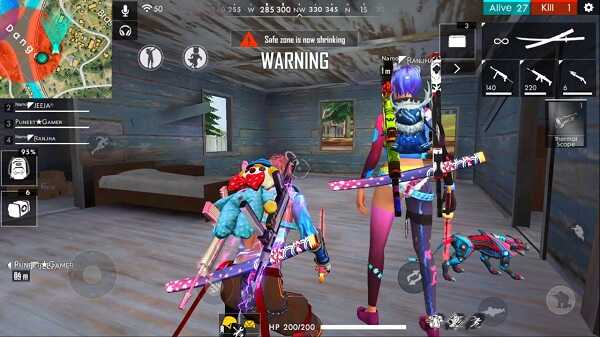
GFX and Performance Tuning
Performance stability plays a huge role in aiming. Even if your control is perfect, lag or frame drops can ruin your accuracy.
This feature focuses on maintaining a stable frame rate while keeping visuals clear. It balances graphics and performance so that the game runs smoothly without unnecessary stress on the device.
Key benefits include:
- Reduced lag during intense fights
- More stable FPS
- Clearer visuals for better tracking
When the game runs smoothly, your aim becomes easier to control. You can follow targets without interruption and maintain consistency throughout the match.
Lightweight and Easy-to-Use Interface
A powerful tool should not be complicated. One of the strengths of Drag Headshot Panel APK is its simple interface.
Everything is designed to be clear and accessible. You do not need advanced knowledge to start using it. This makes it suitable for both new players and experienced users.
Key advantages:
- Quick setup process
- Easy navigation
- Minimal resource usage
Because it is lightweight, it does not slow down your device. Instead, it works in the background to support your gameplay without creating additional load.
Custom Aim Profiles for Different Playstyles
Every player has a different approach to the game. Some prefer aggressive close-range fights, while others focus on long-range control.
This feature allows you to adapt your settings based on your playstyle. You can create different profiles and switch between them depending on your needs.
For example:
- Close-range profile: faster drag and higher responsiveness
- Long-range profile: smoother control and higher precision
This flexibility helps you maintain accuracy in different situations. Instead of using one fixed setup, you can adjust your aim to match your strategy.
How Drag Headshot Panel Creates Smooth Aim
To understand why Drag Headshot Panel APK feels different in real gameplay, you need to look at how it improves multiple layers of control at the same time. Smooth aim is not created by a single setting—it comes from the balance between input, sensitivity, and performance.
First, the tool focuses on input consistency. Every swipe you make should translate into a predictable movement on screen. When this consistency is missing, your aim becomes unreliable. By refining how input is processed, the panel removes small irregularities that often go unnoticed but affect your accuracy.
Second, it improves movement stability. Instead of sudden jumps or uneven drag behavior, your aim follows a smoother path. This is especially important when tracking moving targets or adjusting aim quickly in close fights.
Third, it enhances timing synchronization. When your movement and the game’s response are aligned, you react faster and more accurately. You do not feel like you are “chasing” the target—you stay in control.
In practice, this combination creates a noticeable difference:
- Your aim feels lighter and more responsive
- You make fewer unnecessary corrections
- Your shots become more consistent over time
Smooth aim is not about moving faster. It is about moving with control. Once control improves, accuracy follows naturally.
Performance Benefits on Different Devices
One of the strengths of this tool is its ability to adapt to different types of devices. Not every player uses high-end hardware, and performance differences can greatly affect aiming.
On low-end devices, common issues include lag, frame drops, and delayed touch response. These problems make aiming feel unstable and unpredictable. By optimizing performance, the panel helps reduce these disruptions.
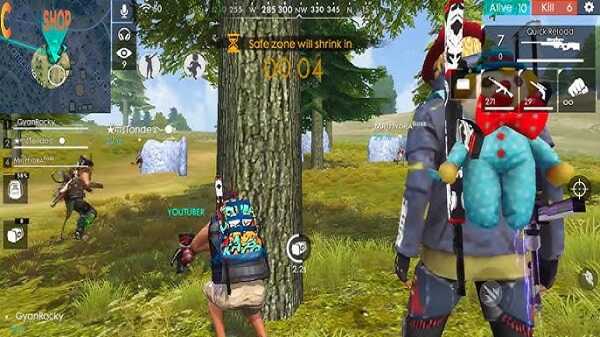
For example:
- Frame rate becomes more stable
- Sudden lag during fights is reduced
- Input feels more responsive
This does not turn a low-end device into a high-end one, but it makes the experience smoother and more playable.
On mid-range devices, the improvements focus on consistency. Even if the game already runs well, small adjustments can make aim feel more refined. The difference is subtle but important—you feel more in control during every movement.
Advertisement
Overall, the goal is simple:
Make your current device perform at its best for aiming and control.
Instead of relying on hardware upgrades, you optimize what you already have.
How to Download and Install Safely
Setting up Drag Headshot Panel APK is simple, but it is important to follow the right steps to ensure a smooth experience.
First, make sure you download the APK file from a reliable source. This helps avoid issues related to unstable or modified files.
Next, prepare your device:
- Open your device settings
- Enable installation from unknown sources
- Locate the downloaded APK file
After that, install the application and launch it. When opening the panel for the first time, you may be asked to grant certain permissions. These permissions are necessary for the tool to function correctly.
Before applying any settings, take a moment to explore the interface. Understanding each option will help you avoid unnecessary changes and get better results faster.
A simple approach works best:
- Start with default or recommended values
- Adjust gradually based on your experience
- Test changes in real gameplay
This process ensures that your setup remains stable and effective.
Best Settings for Better Accuracy
Finding the right settings is one of the most important steps in improving your aim. There is no single perfect configuration for everyone, but there are clear principles you can follow.
Let’s break it down into key areas.
1. Sensitivity Balance
Sensitivity controls how fast your aim moves. The goal is to find a level where you can react quickly without losing control.
- Too high → aim becomes unstable
- Too low → movement feels slow
Start with a balanced value and adjust gradually. If your aim feels shaky, reduce it slightly. If it feels too slow, increase it step by step.
2. Drag Speed Control
Drag speed determines how smoothly you can align your aim with a target.
A good setup should:
- Allow smooth upward movement
- Avoid sudden jumps
- Keep control during tracking
Try different values until your movement feels natural. The key is comfort—your settings should match how your hand moves.
3. Stability Over Maximum Values
A common mistake is setting everything to the highest level. This often reduces control instead of improving it.
Instead of chasing extreme values, focus on stability:
- Balanced sensitivity
- Controlled drag speed
- Consistent response
Stable settings lead to better long-term performance.
4. Device-Based Adjustment
Your device plays a role in how settings behave. A configuration that works on one device may feel different on another.
Consider:
- Screen size
- Performance level
- Touch responsiveness
Adjust your settings based on your device, not just recommendations from others.
5. Real Gameplay Testing
Settings are only effective if they work in real matches. Spend time testing and refining your setup.
A simple method:
- Play a few matches
- Identify where your aim feels off
- Adjust one setting at a time
Avoid changing everything at once. Small adjustments are easier to control and understand.
6. Build Consistency
Once you find a setup that feels right, stick with it. Consistency allows you to develop muscle memory, which is essential for accurate aiming.
Over time, your movements become automatic. You no longer think about aiming—you simply react.
Pros and Considerations
Like any optimization tool, Drag Headshot Panel APK offers clear benefits, but it also requires the right approach to use effectively.
Pros
- Improves aim smoothness and control
- Enhances accuracy through better responsiveness
- Helps stabilize performance on different devices
- Easy to set up and use
- Lightweight and efficient
These advantages make it a practical option for players who want better consistency without complicated adjustments.
Considerations
- Requires proper configuration for best results
- Over-adjusting settings can reduce stability
- Takes time to find the ideal setup
- Results depend on how well you adapt to the changes
The key is balance. When used correctly, the tool supports your gameplay. When used without understanding, it may not deliver the expected results.
Final Thoughts
Drag Headshot Panel APK focuses on improving what matters most in mobile FPS games—control and accuracy. By refining sensitivity behavior, enhancing input response, and stabilizing performance, it creates a smoother aiming experience.
Instead of forcing players to rely on trial and error, it provides a structured way to improve how aim feels and behaves. This makes it easier to stay consistent across matches and build confidence over time.
If your goal is to achieve smoother aim and better accuracy, the solution is not always about playing faster. It is about playing with control.
When your aim becomes stable, everything else follows naturally. Every movement feels more precise, every shot feels more intentional, and every match becomes more manageable.
That is the real value of improving your aim—not just better results, but a better overall experience every time you play.
FAQs Drag Headshot Panel
Drag Headshot Panel APK is an Android utility designed to improve smooth aim and increase accuracy in mobile FPS games. It helps optimize sensitivity, input response, and overall performance, allowing players to achieve more consistent and controlled aiming during gameplay.
Yes, Drag Headshot Panel APK helps improve aim accuracy by stabilizing drag movements, reducing input delay, and optimizing sensitivity settings. These improvements make it easier to track targets and maintain consistent control in fast-paced situations.
Yes, one of the main advantages of Drag Headshot Panel APK is its lightweight design. It is optimized to run smoothly on low-end Android devices, helping reduce lag, stabilize performance, and improve overall gameplay experience.
To install Drag Headshot Panel APK, download the APK file from a trusted source, enable installation from unknown sources in your device settings, and then open the file to install it. After installation, grant the required permissions and configure the settings before use.
The best settings depend on your device and playstyle. A balanced sensitivity level, controlled drag speed, and stable performance configuration usually provide the best results. It is recommended to test and adjust settings gradually to find the most comfortable and consistent setup.






Share Your Thoughts